
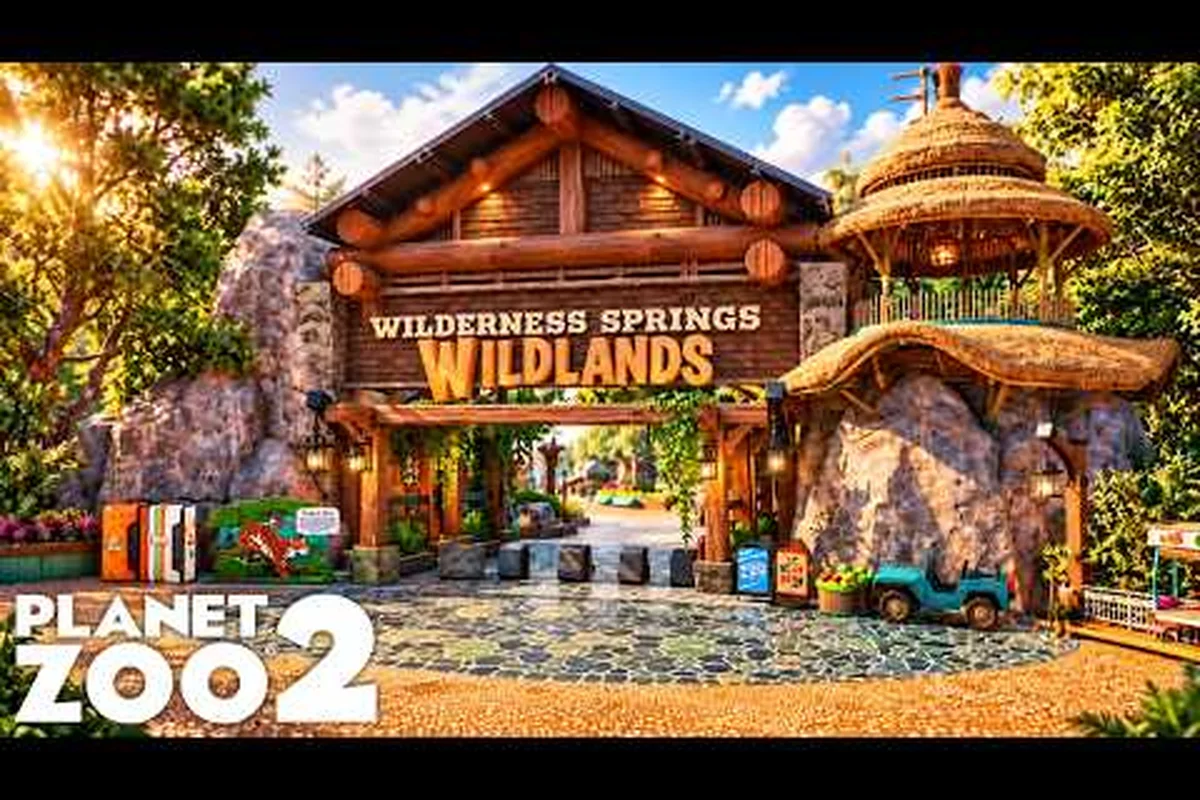
The Planet Zoo 2 Workshop is the single largest shortcut in the entire game, and it is built entirely on community-shared creations. The Frontier Workshop serves as a curated catalog of player uploads, ranging from compact habitat shells to entire prefab zoo entrances that drop straight into your park. Knowing how the categories work, what each filter actually returns, and which community uploads are worth your download slots separates a 10-hour build from a 200-hour polished zoo. This guide breaks down every official blueprint category, lists the most reliable community creations, and shows how to drop them into Franchise, Career, and Sandbox without breaking your save. Once your enclosures are placed, the next headache is stitching multiple prefabs together without seams — and the Planet Zoo 2 Merge Groups reference covers the geometry limits and grouping tricks that make compound habitats behave like a single object.
On the official Planet Zoo 2 Workshop page, every uploaded file is sorted into the eight blueprint categories that drive the in-game browser — Habitats, Buildings, Shells, Paths, Foliage, Scenery, Prefab Zoos, and Bundles — and each one filters by piece count, terrain footprint, theme tag, and Franchise-safe status, so a 12-piece Koala habitat preset loads differently than a 240-piece prefab zoo entrance. The download queue also tracks mod-collision warnings and last-tested game version, which is why a 1.4-tagged upload will refuse to instantiate in a 1.6 Career save without a manual resave pass.
How the Planet Zoo 2 Workshop Blueprint System Works
The Workshop lives on the official site and is wired directly into the in-game browser. Every Planet Zoo 2 Workshop blueprint you upload or download carries a unique Share Code (a 12-character string separated by dashes), which is how the system tracks metadata, screenshots, and creator credit. The in-game browser mirrors the same filters, so anything you find on the web can be opened, previewed, and subscribed to in roughly the same amount of time it takes to read a Steam page.
A few design choices make the system feel different from a typical mod browser. First, blueprints are self-contained objects, not scripts. A single upload can hold one building, one habitat, or a hundred pieces glued together with the Merge Groups tool. Second, every blueprint has a file-size budget that grows with your Frontier Workshop account level, so prolific creators can ship larger prefab zoos. Third, all uploads are moderated, and reports for stolen or broken uploads are acted on within roughly 72 hours according to community reports on the official forums.
Blueprint Categories and Filters
The Frontier Workshop sorts every upload into one of nine top-level blueprint categories, and each category has its own filter pipeline. When you search on the official site, the filters on the left rail let you narrow by category, sub-category, animal support, biome, and player rating. The in-game browser uses the same field names, so a save filter on the website carries over to your console the next time you log in.
| Category | What It Holds | Typical Use Case | Average File Size |
|---|---|---|---|
| Zoo Entrance | Gates, ticket booths, signage, plaza props | Franchise hub beautification | 1–4 MB |
| Facilities | Power, water, staff rooms, research labs | Service backbone builds | 2–6 MB |
| Habitat Shell | Barrier, terrain, foliage, water bowl | Drop-in species-ready habitat | 4–12 MB |
| Habitat Decor | Rocks, logs, shelters, enrichment | Filling empty interior space | 1–3 MB |
| Buildings | Shelter, restaurant, shop, restroom | Guest pathing and amenity | 3–10 MB |
| Scenery | Pathing, fences, lighting, signage | Set dressing between habitats | <2 MB |
| Transport | One-way glass, viewing tunnels | Behind-the-scenes guest viewing | 2–5 MB |
| Aviary & Aquarium | Specialised mesh barriers, tank glass | Aquatic and flying species | 5–15 MB |
| Full Zoo | Multi-habitat prefab parks | Franchise or Sandbox instant start | 15–60 MB |
These nine categories cover almost every type of build players share. The trick is learning which sub-categories hide the most useful uploads. Under Habitat Shell, for example, the sub-filter Biome → Tropical returns vastly more results than Biome → Tundra, simply because the community favours tropical species. The same pattern repeats in Buildings → Shelter, where elephant and lion shelters dominate the top of the list because those animals are unlocked early in Career mode.
Trending vs. Top Rated vs. Most Downloaded
Every category has three sort modes, and they return very different results. Trending refreshes roughly every 24 hours and weights new uploads with high download velocity, which makes it the best place to spot fresh talent. Top Rated weights long-term ratings, so the entries at the top are usually battle-tested. Most Downloaded counts raw lifetime downloads, which is dominated by early-access creators with millions of hours in the game.
| Sort Mode | Recency Bias | Quality Bias | Best For |
|---|---|---|---|
| Trending | High | Medium | Discovering new creators |
| Top Rated | Low | High | Proven builds for serious saves |
| Most Downloaded | Low | Medium | Filling your library fast |
| Recently Uploaded | Very High | Low | Patreon and pre-order rewards |
| Featured | Curated | Very High | Editor picks (often promotional) |
If you are starting fresh, Top Rated is the safest filter because the same long-term rating curve that buries low-effort habitats and zoo blueprints also surfaces reliable community creations across every blueprint category. Use Trending within 24 hours of a creator's first upload to catch distinctive habitat or building designs before the download velocity normalises, and pair Recently Uploaded with your followed-creators list to filter out unrelated blueprint buildings when you only care about one specific aesthetic, such as tropical habitat blueprints or modern zoo blueprints.
Habitat Blueprints and Drop-In Enclosures
Planet Zoo 2 habitat blueprints are the workhorse of the Frontier Workshop because they are the most reusable upload type. A well-built habitat blueprint contains the barrier walls, terrain sculpting, foliage stamps, shelter placement, keeper gate, and enrichment items all pre-assembled. Drop one into an empty plot, paint over the terrain to match the local biome, and you have a welfare-ready habitat in under 10 minutes.
The official player guide on the Planet Zoo 2 website walks through how the building tools connect to blueprints, and the same page confirms that prefab habitats are an intended use of the workshop blueprint system rather than a workaround. Specifically, the guide demonstrates how a barrier blueprint uploaded from the Frontier Workshop can be merged with a terrain sculpting layer and a foliage stamp from the player's local library, letting builders reuse complex layouts like mixed-species indoor exhibits across multiple franchise zoo saves. This cross-tool integration is also why the best blueprints in the habitat category routinely combine stock prefab shells with custom enrichment and shelter placements sourced from community creations.
Reading a Habitat Blueprint's Spec Sheet
Every habitat blueprint in the Frontier Workshop carries a spec sheet in its description box. The most important fields are species support, minimum footprint, required DLC, and welfare rating. The species-support field is sometimes a list, sometimes a checkmark, and sometimes a vague sentence; cross-check it against the screenshot before downloading. Required DLC is critical because a habitat built for a Deluxe Edition animal will fail to place if you do not own the corresponding DLC pack.
| Spec Field | What It Tells You | How to Verify |
|---|---|---|
| Species Support | Which animals the habitat is tuned for | Check the screenshot for barrier height and water depth |
| Minimum Footprint | Ground area needed to place the build | Measure with the in-game grid (1 grid = 4 m) |
| Required DLC | Whether Deluxe or Bonus Pack species are used | Compare against your DLC library |
| Welfare Rating | How much of the welfare bar the build fills at spawn | Look for 80%+; anything lower is usually incomplete |
| Merge Group Status | Whether the blueprint loads as one glued object | Look for "merge" or "single-piece" in the title |
Best Community Habitat Categories to Filter First
The community has settled on a handful of sub-categories that consistently return high-quality results. For terrestrial mammals, Habitat Shell → Mammal → Large is the most populated filter. For reptiles, the equivalent is Habitat Shell → Reptile → Tropical. Aquatic and flying categories are newer and slightly under-populated, but the Workshop staff curates an Editor's Pick list for both that surfaces the strongest uploads each week.
| Filter Path | Why It Matters | Typical Top Result |
|---|---|---|
| Habitat Shell → Mammal → African | Lions, elephants, giraffes | Modular savanna shells with shade sails |
| Habitat Shell → Mammal → Primate | Gorillas, chimps, mandrills | Indoor-outdoor rainforest shells |
| Habitat Shell → Reptile → Tropical | Komodo, anaconda, gharial | Heat-lamp-ready tropical shells |
| Aviary & Aquarium → Aquarium | Sharks, rays, turtles | Glass tank builds with back-of-house |
| Habitat Shell → Tundra | Wolves, snow leopard, reindeer | Insulated shelter builds |
The single most important habit when filtering is to sort by Top Rated within your chosen sub-category and then download the top 3–5 results. These will cover roughly 80% of the species you keep in mid-game Franchise and Career saves, leaving the long tail of niche species to custom builds.
Building Blueprints for Services and Guest Flow
Planet Zoo 2 building blueprints cover the second-most-common download type: the service facilities that keep your park running. These include power stations, water treatment, staff rooms, research centres, and the various guest amenities. The Frontier Workshop filters split buildings into Shops, Restaurants, Toilets, First Aid, Information, and Education, each with its own rating ecosystem.
The reason to download prefab buildings rather than build them yourself is mostly pathing efficiency. A community-vetted shop block has tested one-way doors, wide enough doorways for strollers, and guest seating spaced so the building does not become a bottleneck. Building these from scratch usually takes 30–90 minutes per structure, and a single misplaced door can cascade into guest happiness losses across an entire zone.
Service Buildings and Their Workshop Sub-Categories
Every service blueprint falls under the Facilities or Buildings category, but the sub-categories matter because they affect which animals or staff can use them. For example, a Keeper Hut is technically a building, but it functions as a staff room and only keepers can use it. The Workshop filter handles this with separate sub-categories that align with the staff role, which is why you will sometimes see the same physical structure appear under two different filters.
| Building Type | Workshop Sub-Category | Primary User | Common Download Reason |
|---|---|---|---|
| Power Plant | Facilities → Power | Staff: Mechanic | Pre-wired distribution |
| Water Treatment | Facilities → Water | Staff: Mechanic | Pre-piped to nearby habitat |
| Staff Room | Facilities → Staff | All staff | Reduces walking fatigue |
| Vet Clinic | Facilities → Vet | Staff: Vet | Sickness control hub |
| Research Centre | Facilities → Research | Staff: Scientist | Boosts conservation credits |
| Shop | Buildings → Shop | Guests | Income + pathing |
| Restaurant | Buildings → Restaurant | Guests | Hunger mitigation |
| Toilet | Buildings → Toilet | Guests | Toilet need mitigation |
| Education | Buildings → Education | Guests | Education rating + kids |
Zoo Entrance Blueprints and the First Impression
The Zoo Entrance is the first build every player places, and it is also the most over-categorised on the Frontier Workshop. Zoo entrance blueprints range from a single gate with a ticket booth to full plaza builds with fountains, information kiosks, and guest flow control. Because the entrance also functions as the only built-in power source for the early game, the best uploads combine decorative archways with hidden solar panels or wind turbines.
| Entrance Style | Typical Pieces | Best For | Caveat |
|---|---|---|---|
| Minimalist Gate | Gate + ticket booth + 2 benches | First 2 hours of Career | Plain early look |
| Themed Archway | Custom architecture + 4 lights | Franchise hub | Higher piece count |
| Plaza Build | Gate + 2 shops + fountain + paths | Showcase entrance | 10–20 MB file size |
| Modular Gate | Gate + decorative add-ons | Late-game customisation | Requires merging skills |
Downloading a plaza-style entrance saves a surprising amount of time because it ships with one-way doors, decorative paths, and a small shop that all snap together. Most plaza uploads are tagged with "modular" in the title, which means the creator split the build into Merge Groups so you can delete or move individual pieces without breaking the gate.
Planet Zoo 2 Zoo Blueprints: Full Park Prefabs
A full zoo blueprint is the heaviest single upload on the Frontier Workshop. The file is usually 15–60 MB and contains multiple habitats, all of the supporting service buildings, a full path network, and often a starter set of guest amenities. The idea is that you drop the entire build into an empty Franchise plot and start tweaking rather than building from scratch.
The trade-off is rigidity. A full zoo blueprint is built on the creator's terrain, and the terrain may not match yours. If the terrain is hilly, you will see clipping at the edges. If it is flat, it will look slightly out of place in a mountainous map. Most creators solve this by uploading a flat-grid version alongside the original, and the description box usually says "flat grid" or "hilly grid" in the title.
| Park Size | Habitat Count | Service Building Count | Average File Size | Best For |
|---|---|---|---|---|
| Starter | 1–2 | 3–5 | 10–20 MB | First Franchise zoo |
| Mid-size | 3–5 | 8–12 | 25–40 MB | Career mode mid-game |
| Showcase | 6–10 | 15–25 | 40–70 MB | Sandbox creative builds |
| Mega Zoo | 10+ | 25+ | 70–150 MB | Late-game Franchise showcase |
Full zoo blueprints work best in Sandbox because Sandbox has unlimited money and no welfare failure state. They also work in Franchise if you treat them as a starter shell and then expand around them. They are the least useful in Career because the plot sizes in Career scenarios are usually smaller than the prefab footprint, and the in-game plot restrictions can clip the build.
Featured Prefab Zoos and Community Showcases
The Frontier Workshop maintains a Featured list on the front page that rotates weekly. Featured builds are usually hand-picked by the Workshop curators and often include creators with the largest Patreon followings. The list skews toward showcase parks, so the file sizes are large, but the welfare tuning is usually excellent. If you only have time to download a few prefab zoos, the Featured list is the most reliable place to start.
Community reports suggest the average Featured build sustains a 4.7+ rating across 500+ downloads, which is the highest bar on the site. The reason for the strict curation is that Featured is also the surface for the weekly community challenge, and the curators do not want to promote broken uploads for the challenge to lean on.
Planet Zoo 2 Best Blueprints: Curated Picks by Use Case
The "best" blueprint depends on what you are trying to do. A Career player chasing conservation credits needs research-heavy service builds and high-welfare habitat shells. A Franchise player chasing profit needs guest-flow optimised service buildings and low-maintenance habitat shells. A Sandbox creative player needs decorative scenery and modular building blocks. Below is a curated short list of filters that return the best results for each playstyle, based on community testing and Frontier Workshop trends.
| Playstyle | Habitat Filter | Service Filter | Building Filter | Strategy |
|---|---|---|---|---|
| Career (Beginner) | Habitat Shell → Mammal → African | Facilities → Power + Water | Zoo Entrance → Plaza | Drop a starter zoo and expand |
| Career (Veteran) | Habitat Shell → Reptile + Aviary | Facilities → Research | Education → Lecture Hall | Stack conservation credit boosts |
| Franchise (Profit) | Habitat Shell → Mammal → Large | Facilities → Staff + Vet | Restaurant + Shop | Optimise guest spend per square metre |
| Franchise (Showcase) | Aviary & Aquarium | Facilities → Staff | Themed Restaurant | High-rating, low-cost amenities |
| Sandbox (Creative) | Habitat Decor | Scenery | Modular Plaza | Aesthetic over efficiency |
| Sandbox (Realism) | Habitat Shell → Native biome | Facilities → Research | Education + Shelter | Match real-world zoo layouts |
Top-Rated Community Creations to Subscribe First
The most-downloaded creators on the Frontier Workshop tend to specialise. One creator might dominate primate habitats, another might own reptile enrichments, and a third might ship nothing but themed restaurants. Instead of searching by individual upload, search for the creator's profile and subscribe; the Workshop notifies you when they publish a new blueprint, which is how prolific players keep up with a hobby that updates every Tuesday.
| Creator Type | What They Publish | How to Find Them | Subscription Value |
|---|---|---|---|
| Habitat Specialist | Single-species shells, enrichment packs | Filter by "habitat shell" and sort by rating | Very High |
| Service Builder | Power, water, staff rooms | Filter by "facilities" and look for consistent uploads | High |
| Scenery Artist | Rocks, foliage, signage | Filter by "scenery" and look for screenshot-heavy listings | Medium |
| Full-Zoo Creator | Multi-habitat prefabs | Filter by "full zoo" and check file size | Medium (one-time) |
| Decorator | Furniture, lighting, props | Filter by "buildings" with a 4.5+ rating | Medium |
The most efficient way to use the Frontier Workshop is to subscribe to 5–10 specialist creators and let their uploads populate your in-game browser. New uploads from subscribed creators appear in the Updates tab of the in-game Workshop, which is a faster signal than re-running a search every time you want a new habitat.
Planet Zoo 2 Community Creations and How They Evolve
The Workshop community has matured significantly since the original Planet Zoo launched. Where early uploads were mostly single buildings, today's top community creations include fully merged mega-builds, biome-coordinated habitat sets, and even themed event layouts for the in-game seasonal challenges. The Frontier Workshop staff also hosts a monthly community spotlight that highlights under-the-radar creators, which has been a strong driver of discovery for new players.
The community creation pipeline is roughly: build a habitat in-game → save as blueprint → upload to Frontier Workshop → subscribe to your own upload for testing → tag with species + biome metadata → share the share code on Reddit or Discord. Players who complete the cycle end up with 20–50 blueprints in their portfolio within six months, and the more prolific creators often unlock Frontier Workshop account perks like larger file-size budgets and priority moderation.
What Counts as a "Community Favourite"
The Frontier Workshop calculates a "favourite" status based on a rolling 30-day window of downloads plus ratings. The threshold is roughly 1,000 downloads and a 4.5+ rating, which most long-term creators clear within 2–3 months of consistent uploading. Favourites get a small badge on their profile, which makes them easier to spot when filtering by creator.
| Tier | Approximate Threshold | Visual Indicator | Typical Creator Activity |
|---|---|---|---|
| New | 0–100 downloads | None | First month of uploading |
| Active | 100–1,000 downloads | None | 3–6 months of uploading |
| Favourite | 1,000+ downloads + 4.5+ rating | Bronze badge | 6+ months, consistent uploads |
| Featured | Editor pick | Gold badge | Workshop curation, weekly |
| Veteran | 5+ years, 100+ uploads | Silver badge | Long-term community presence |
The badge system rewards consistency over volume, which is why veteran creators tend to outrank newer creators even with similar per-upload quality. As a downloader, this means you can safely use a Favourite upload without testing it in-game, while a New upload should be subscribed to first and tested in a sandbox save before deploying it in your main Franchise park.
Frequently Asked Questions
Where do I find Planet Zoo 2 Workshop blueprints in-game?
The in-game Workshop browser lives in the main menu under Frontier Workshop. You can filter by category, sub-category, biome, and species directly inside the game. The website at the official Planet Zoo 2 Workshop page mirrors the same filters, so any save you build on the web carries over to your next in-game session once you sign in with the same Frontier account.
Are Planet Zoo 2 best blueprints free to download?
Yes, every blueprint on the Frontier Workshop is free. There is no paywall, no subscription tier, and no creator tip button inside the game. Some creators run Patreon pages off-site for early access to new uploads, but the public Workshop version is always free and usually lags the Patreon version by 1–2 weeks.
How do I know if a habitat blueprint will work for my animals?
Check the Species Support and Required DLC fields in the description box, and verify both against the screenshot. If the build uses a Deluxe Edition animal that you do not own, the blueprint will still download, but it will fail to place in-game because the barrier mesh references a species that does not exist in your local roster. Always cross-check the file before placing.
Can I edit a community blueprint after I download it?
Yes, every Frontier Workshop blueprint becomes a regular local object once placed. You can move pieces, swap foliage, change barrier materials, and even re-save the modified version as your own blueprint. The Merge Groups stay intact, so a well-built habitat usually remains fully editable even after the merge. This is the main reason community creations are so useful for time-pressed Franchise players.
Do Planet Zoo 2 community creations update when the game patches?
Sometimes. Frontier hosts a Updates tab inside the Workshop that shows whether an upload has been re-uploaded since the last game patch. Creators who re-upload after a major patch usually do so within 1–2 weeks, and the update notification appears in your subscribed list. If a build has not been updated in 3+ months, it is usually safe, but older blueprints from launch week may need a fresh upload to remain compatible with current DLC and barrier systems.